
🧱
Every version
Releases, snapshots, betas and alphas, straight from Mojang's official servers, with search and filters.
HLauncher is a free, modern launcher for Minecraft: Java Edition. Every version, every major mod loader, mods from Modrinth and CurseForge, skins, and automatic Java, all in one fast, clean app.
No installation needed: download and double-click. Windows may show "Windows protected your PC". Click More info → Run anyway.
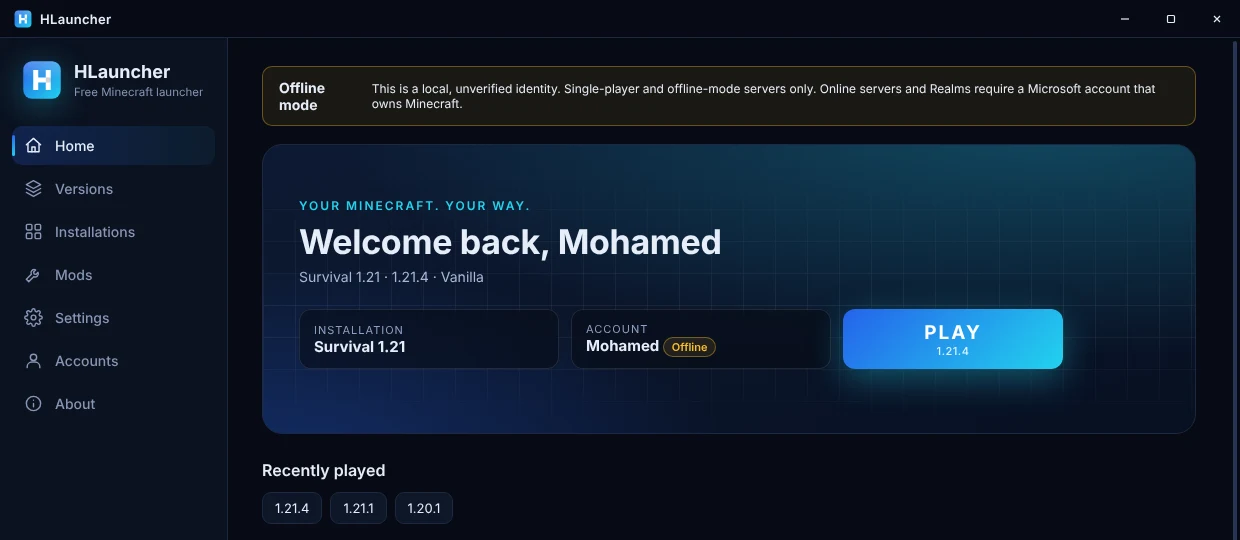
Built for speed and simplicity, with the power features players actually use.
Releases, snapshots, betas and alphas, straight from Mojang's official servers, with search and filters.
Separate setups, each with its own version, folder, Java, RAM and launch arguments. Duplicate, repair, or delete in one click.
HLauncher downloads the right official Java runtime for each version. It also detects the Java already on your PC.
Parallel downloads with integrity checks, pause and resume, automatic retries, speed and time remaining.
Play single-player with a local offline profile, or sign in with your Microsoft account for online servers and Realms.
A live game console and plain-language explanations for common crashes: wrong Java, low memory, broken mods, GPU drivers.
Dark, Midnight and Light themes. English and العربية, with full right-to-left support.
No HLauncher account, no ads, no tracking. Microsoft sign-in tokens are encrypted on your PC.
Keep a vanilla survival world, a Fabric performance setup and a big Forge modpack side by side. Each installation keeps its own worlds, mods, resource packs and settings.
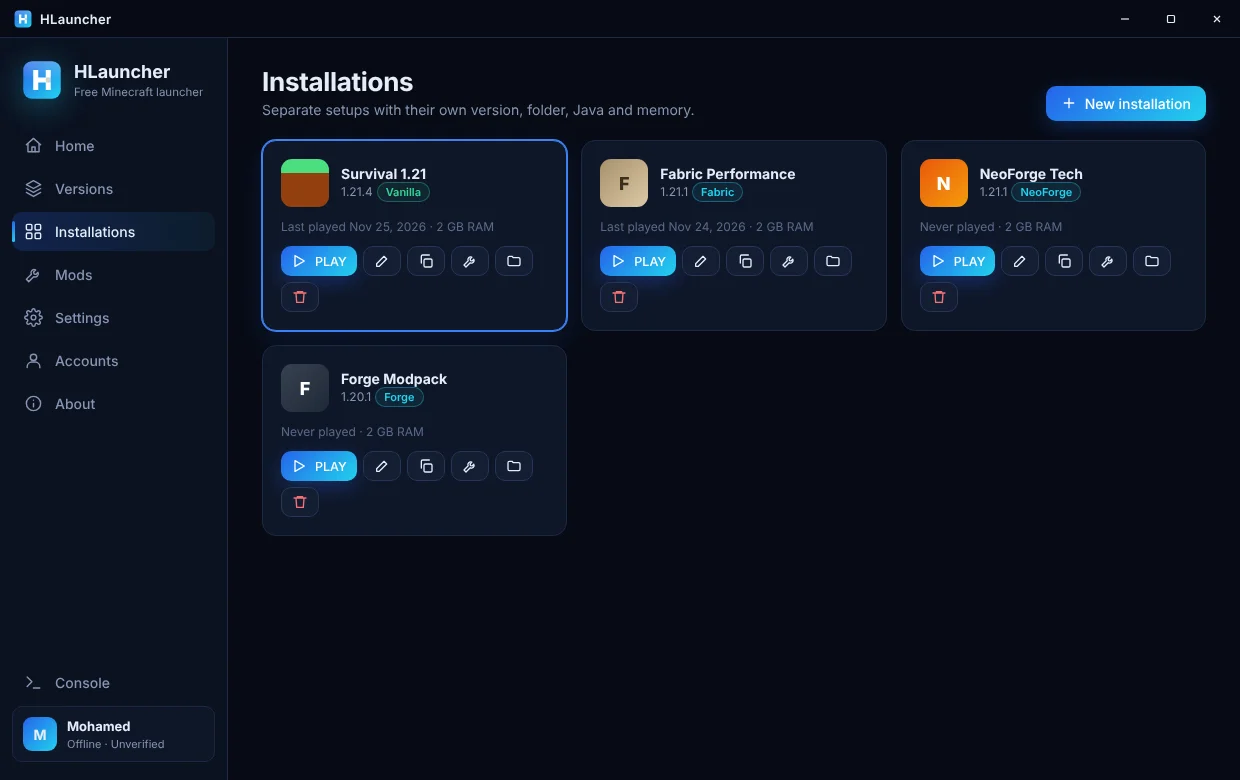
Install a mod loader in one click, then browse thousands of mods without leaving the launcher.
Search both, filtered to your installation's loader and version. Required dependencies install automatically.
Warnings for mods built for the wrong loader or version, missing dependencies, and duplicates, before you hit Play.
Turn mods on and off, drag and drop .jar files, and save sets of enabled mods as profiles you can switch between.
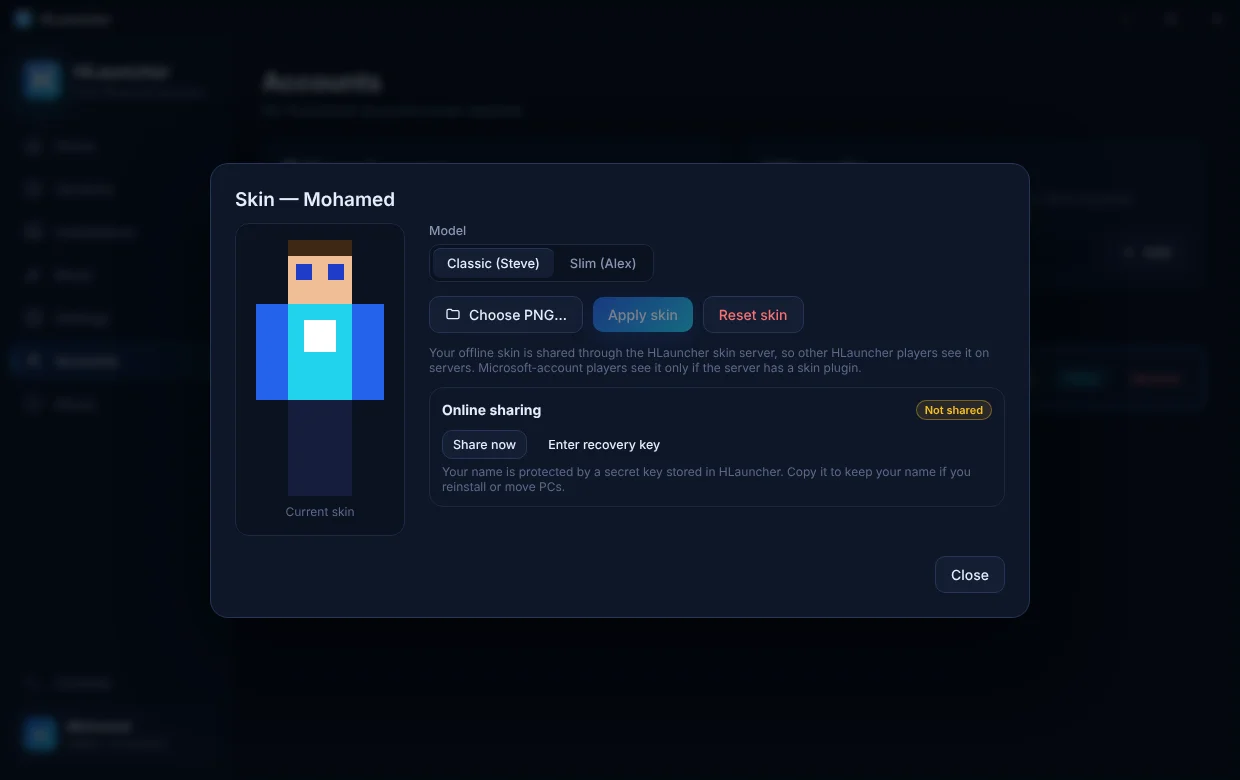
Microsoft accounts change their official skin and cape right in the launcher. Offline profiles get a skin too: it's shared through the HLauncher skin server, so other HLauncher players can see it on servers.
Yes. No ads, no subscriptions, no paywalls, and no HLauncher account.
To play on online servers and Realms you need a Microsoft account that owns Minecraft: Java Edition. Offline profiles are local and unverified. They're for single-player and offline-mode servers, and don't give access to paid online services.
HLauncher downloads game files only from official sources (Mojang, Fabric, Quilt, Forge, NeoForged, Modrinth, CurseForge). The warning appears because the app isn't code-signed yet. Click More info → Run anyway.
In %APPDATA%\.hlauncher. Each installation has its own game folder, which you can open from the Installations page.
Other HLauncher players. Players using other launchers only see it if the server runs a skin plugin such as SkinsRestorer.
No. HLauncher is built for Minecraft: Java Edition.

Free download for Windows 10 and 11 (64-bit).
Download HLauncherv1.4.2 · Portable EXE